Know what to fix in your Azure cloud, and why.
CloudLens reads cost, security, governance and backups across your Azure tenant and turns them into one prioritized plan — written for teams without a cloud specialist. Your data stays in your tenant.
- Read-only
- Data stays in your tenant
- Set up in about ten minutes
- No card required
Built on the Azure services you already have
- Cost Management
- Azure Advisor
- Defender for Cloud
- Azure Policy
- Azure Backup
- Azure Monitor
- Azure data sources read
- 20+
- Azure data sources read
- areas, one score, one plan
- 4 → 1
- areas, one score, one plan
- from sign-up to first data
- ~10 min
- from sign-up to first data
- changes made in your cloud
- 0
- changes made in your cloud
The problem
Azure grew faster than the team looking after it.
Spend that only goes one way
Idle disks, oversized machines and forgotten environments add up. CloudLens finds them and prices them.
Exposure nobody is watching
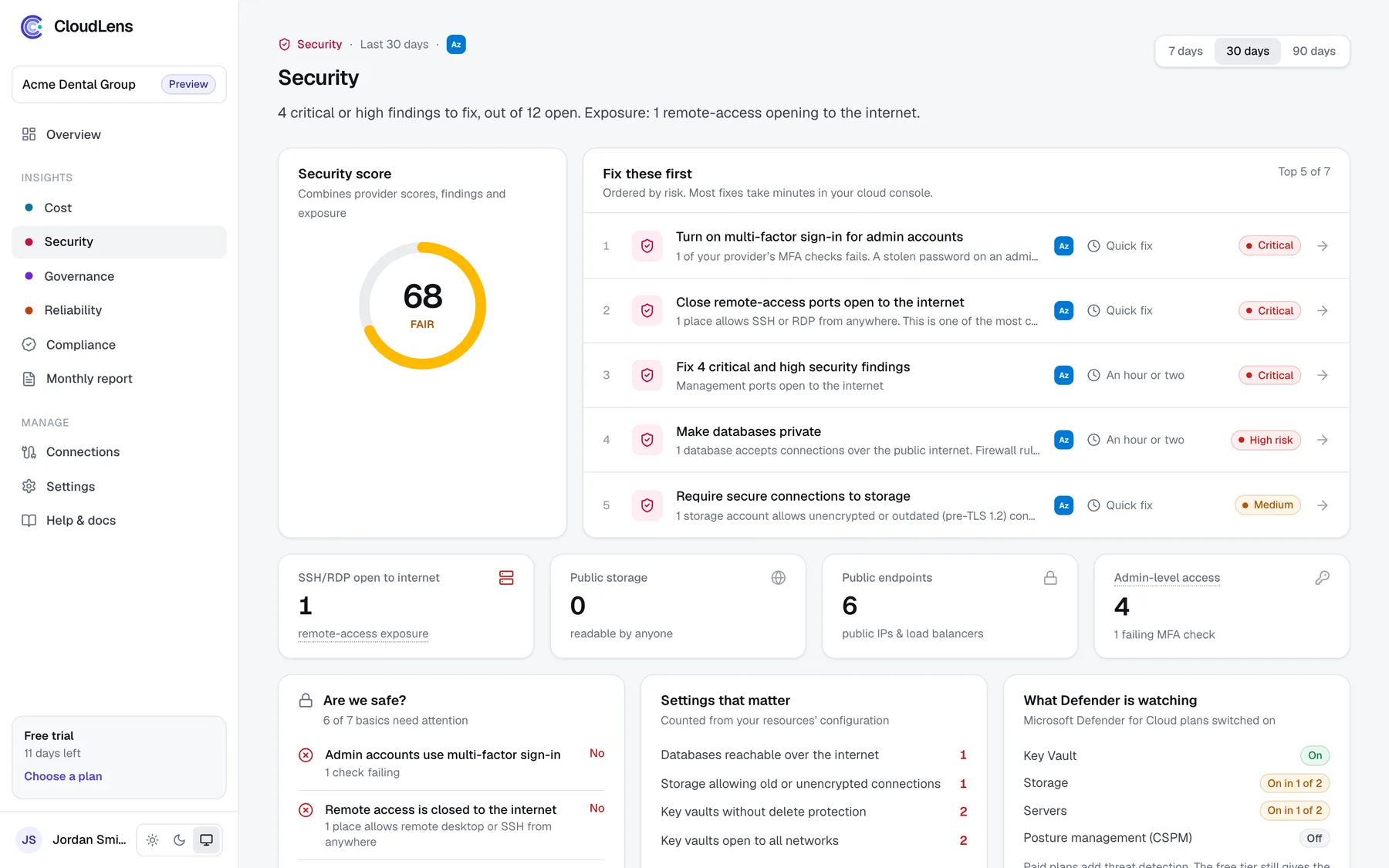
One open remote-desktop port, one public storage account or one admin without MFA is enough for an incident.
No clear ownership
Without tags, budgets and policies nobody can say who pays for what, or show an auditor the rules are followed.
Product tour
See it, understand it, fix it.
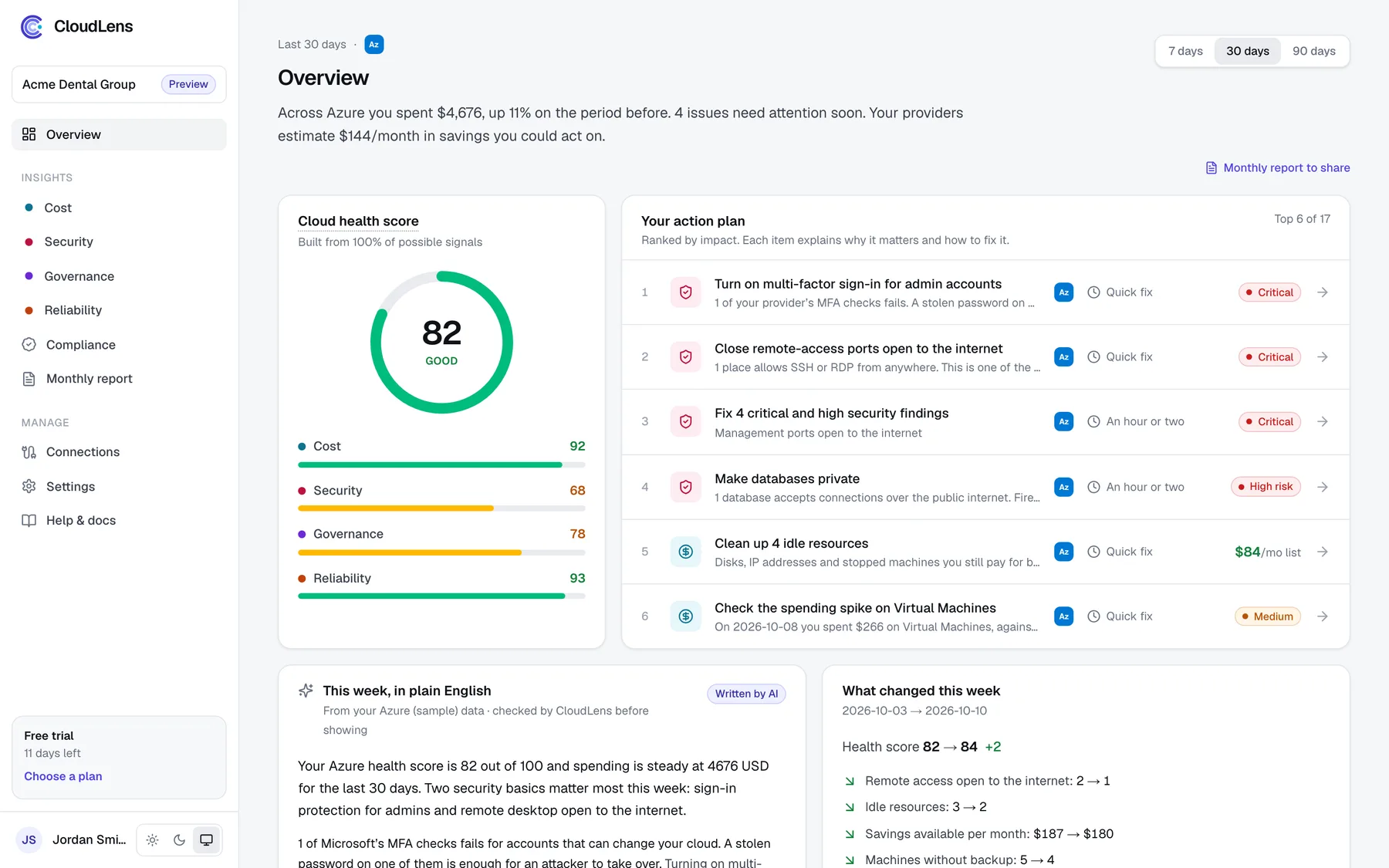
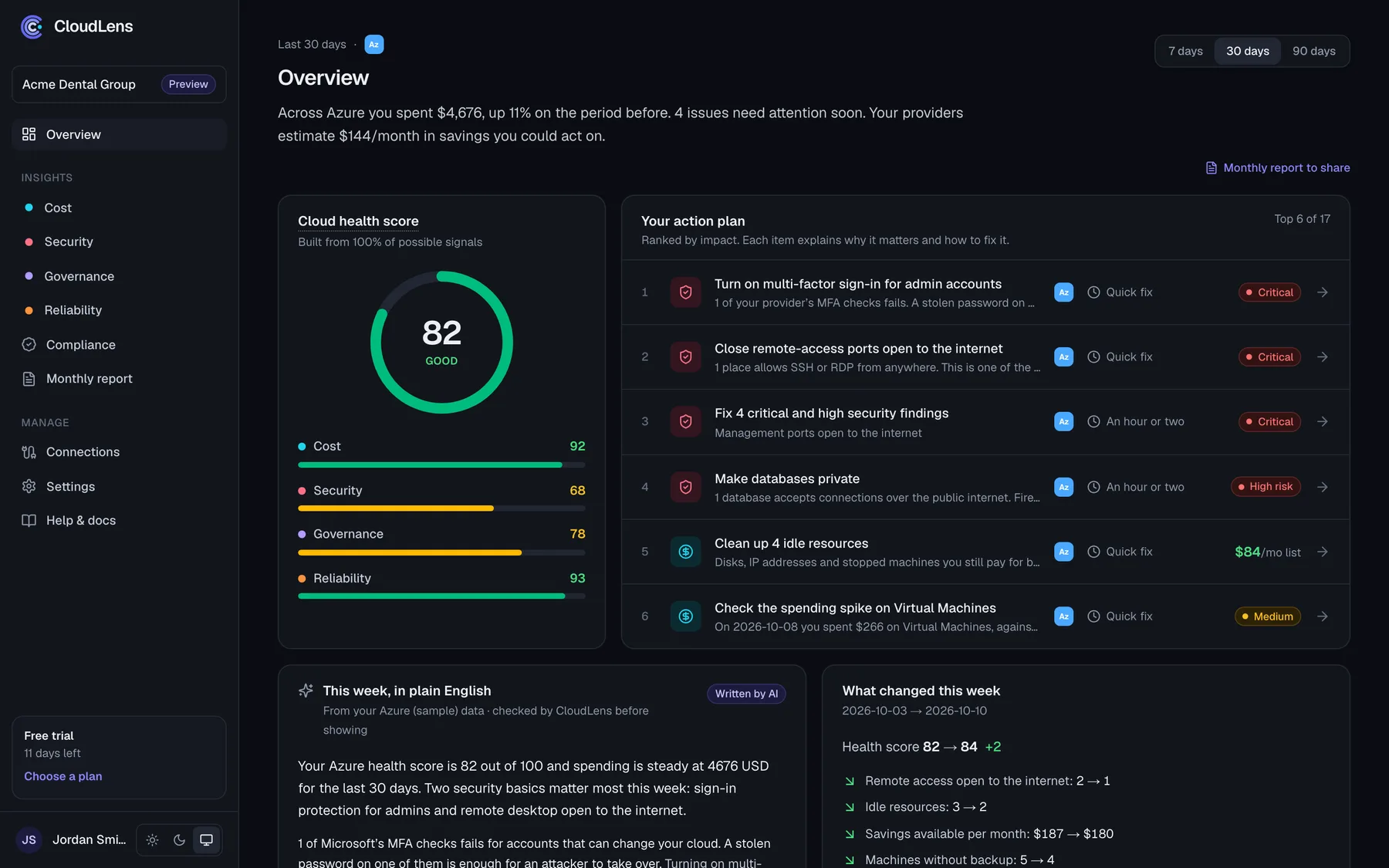
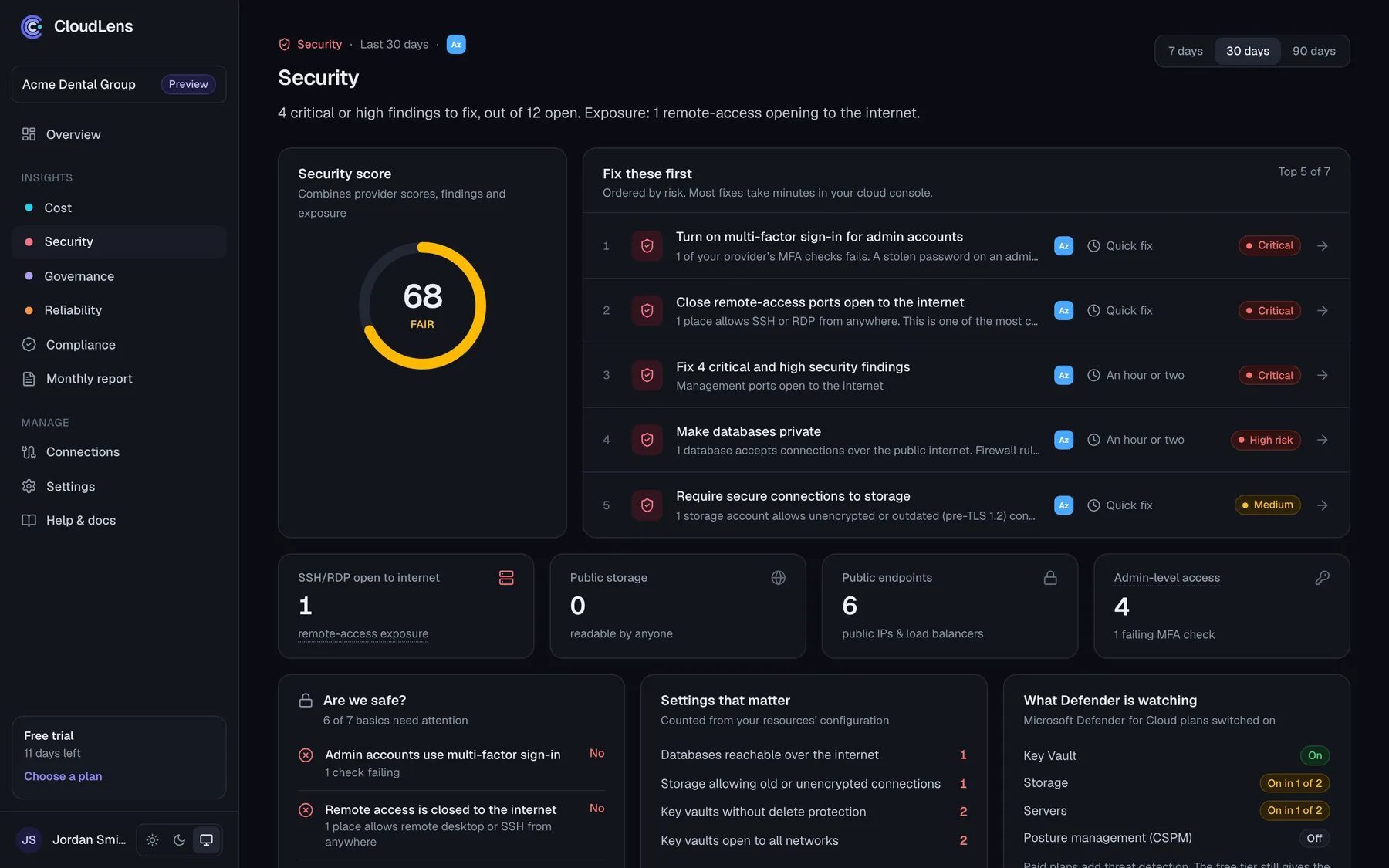
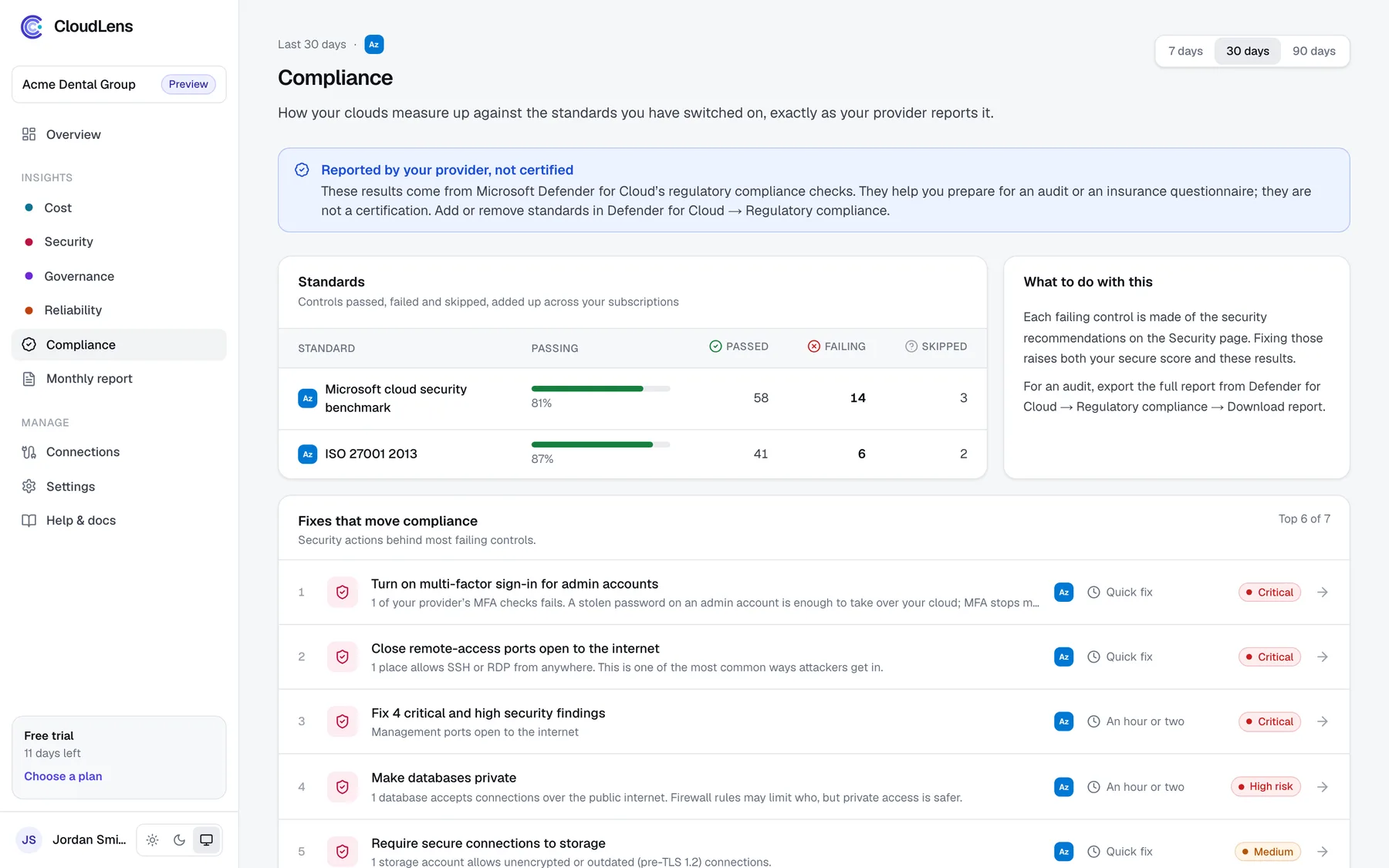
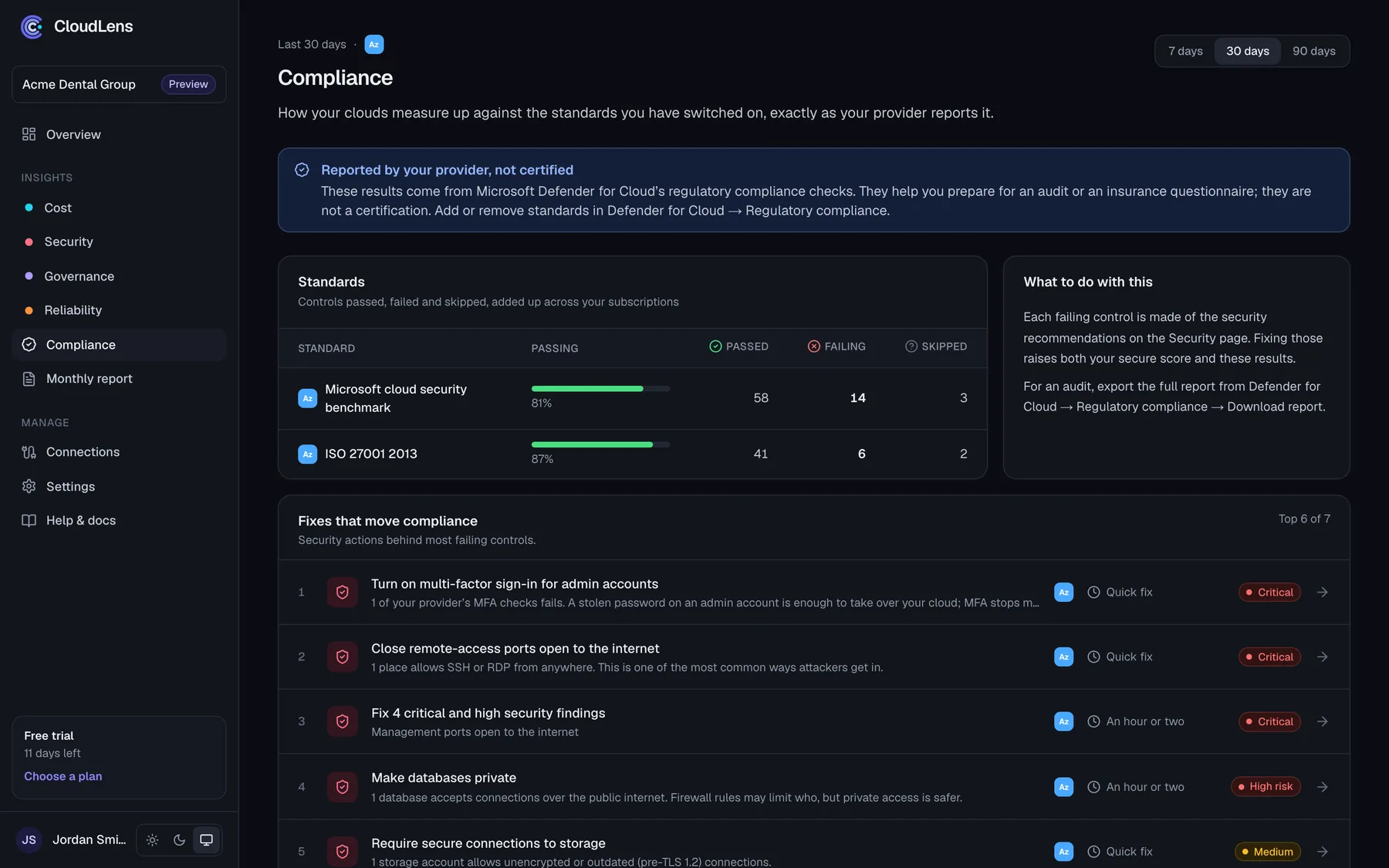
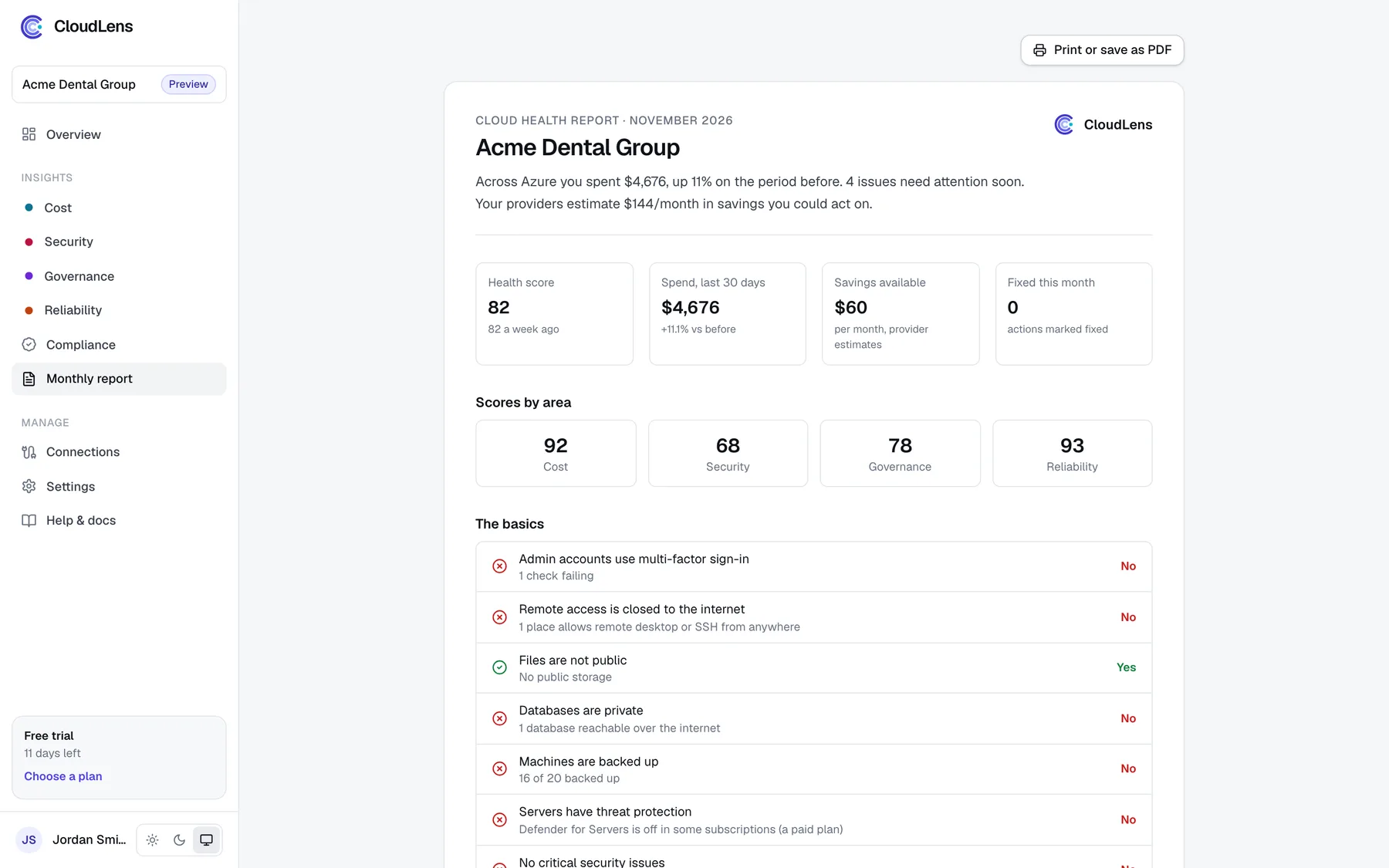
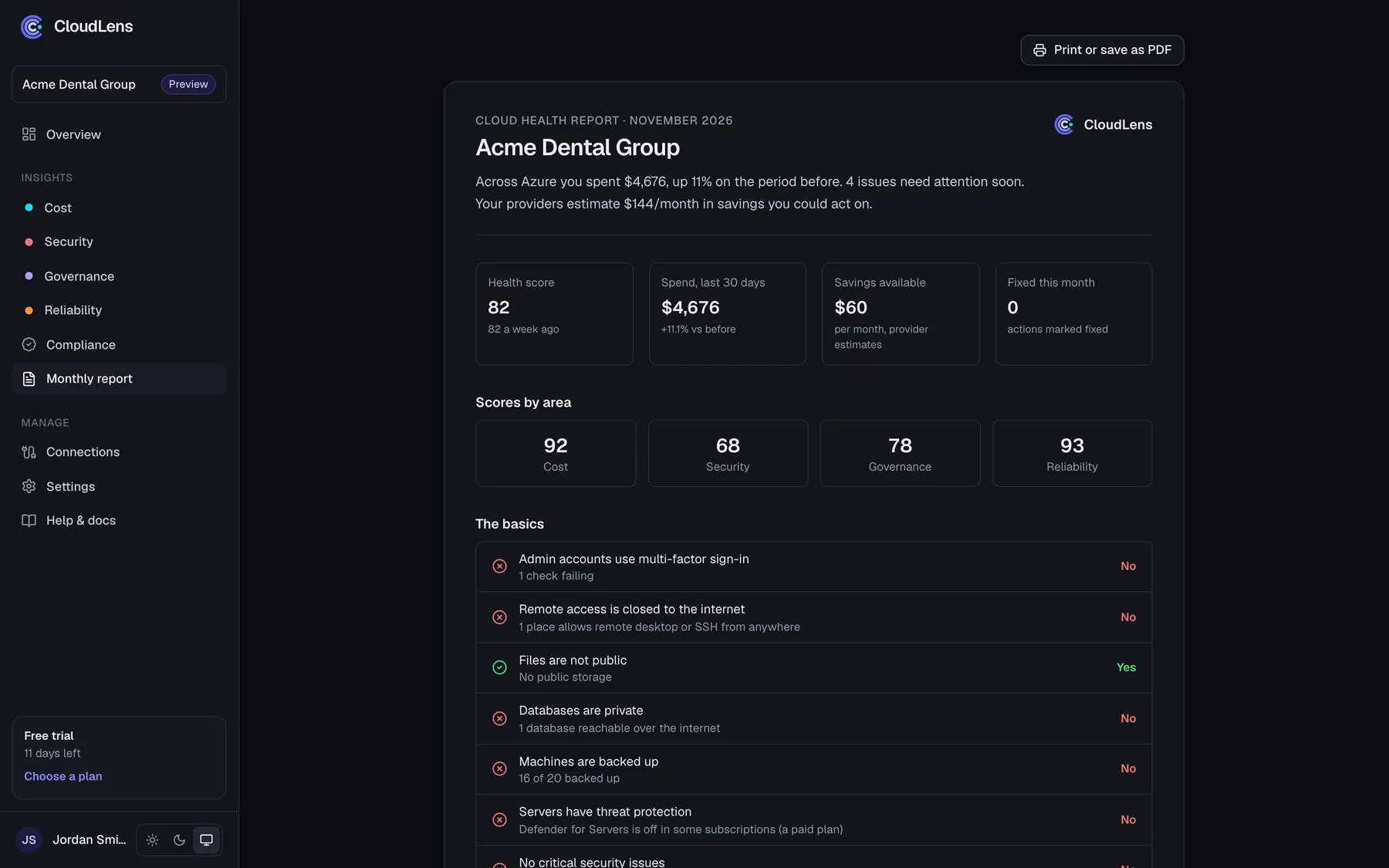
Real screens with sample data. Everything you see is built from what Azure already reports about your tenant.
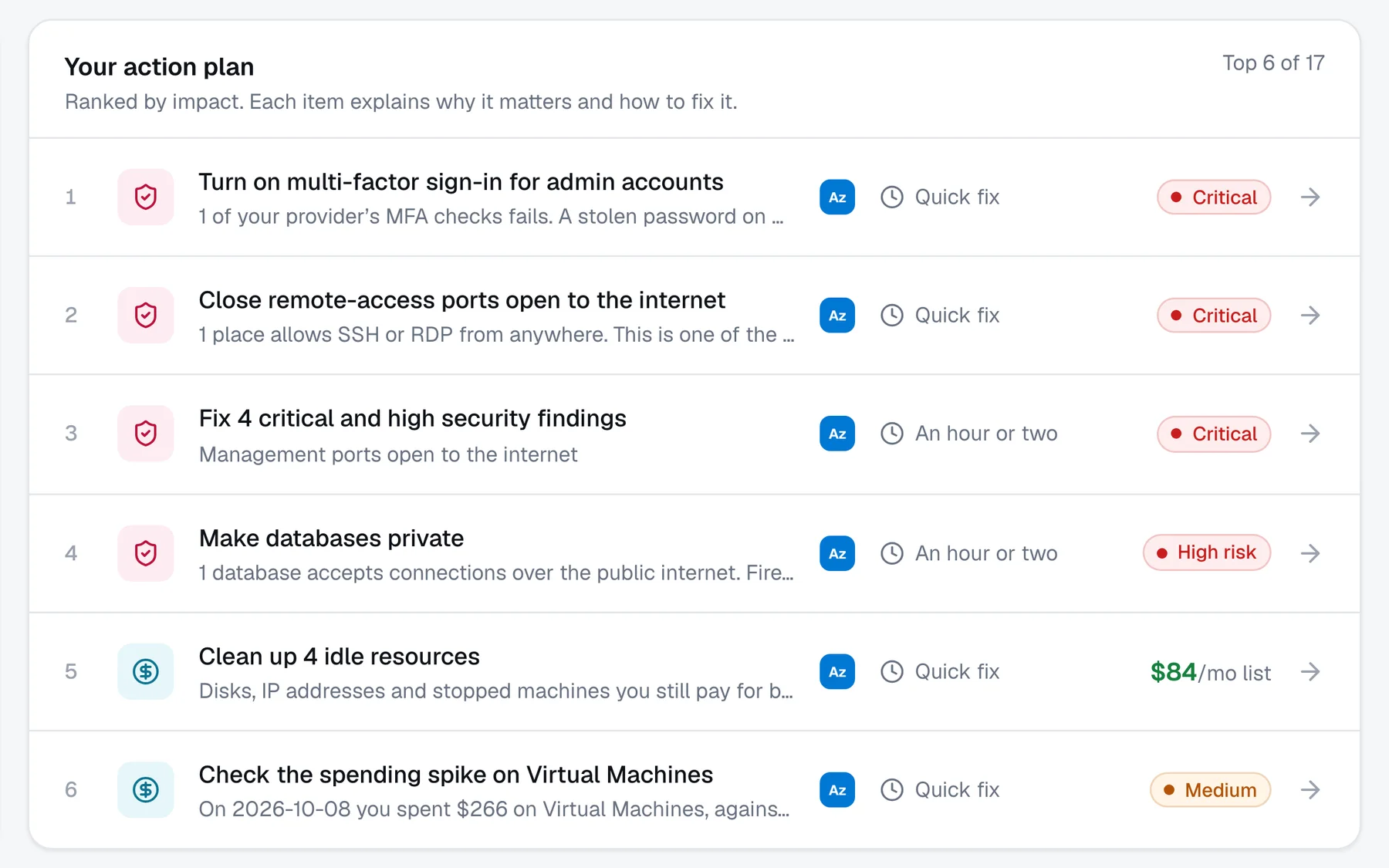
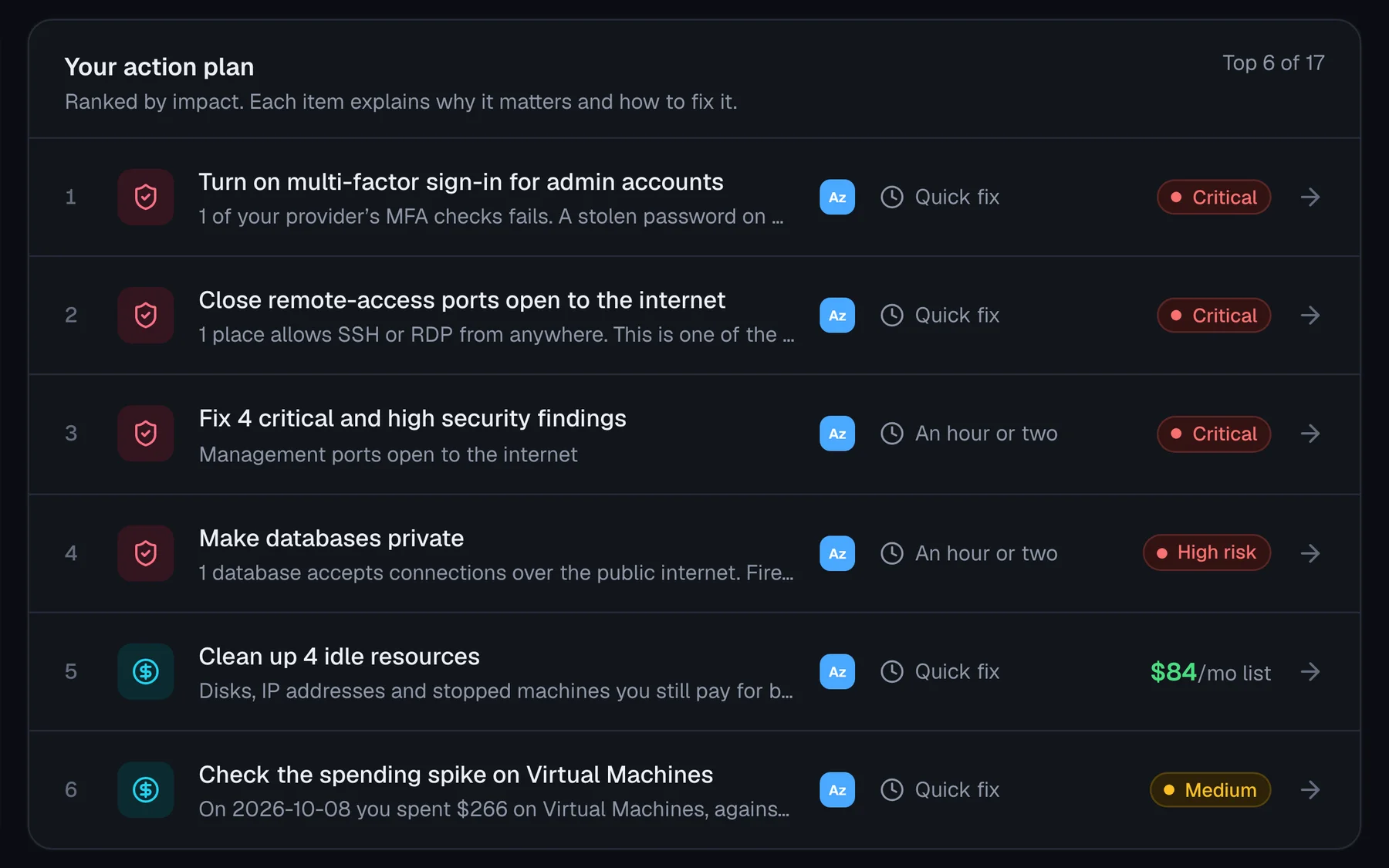
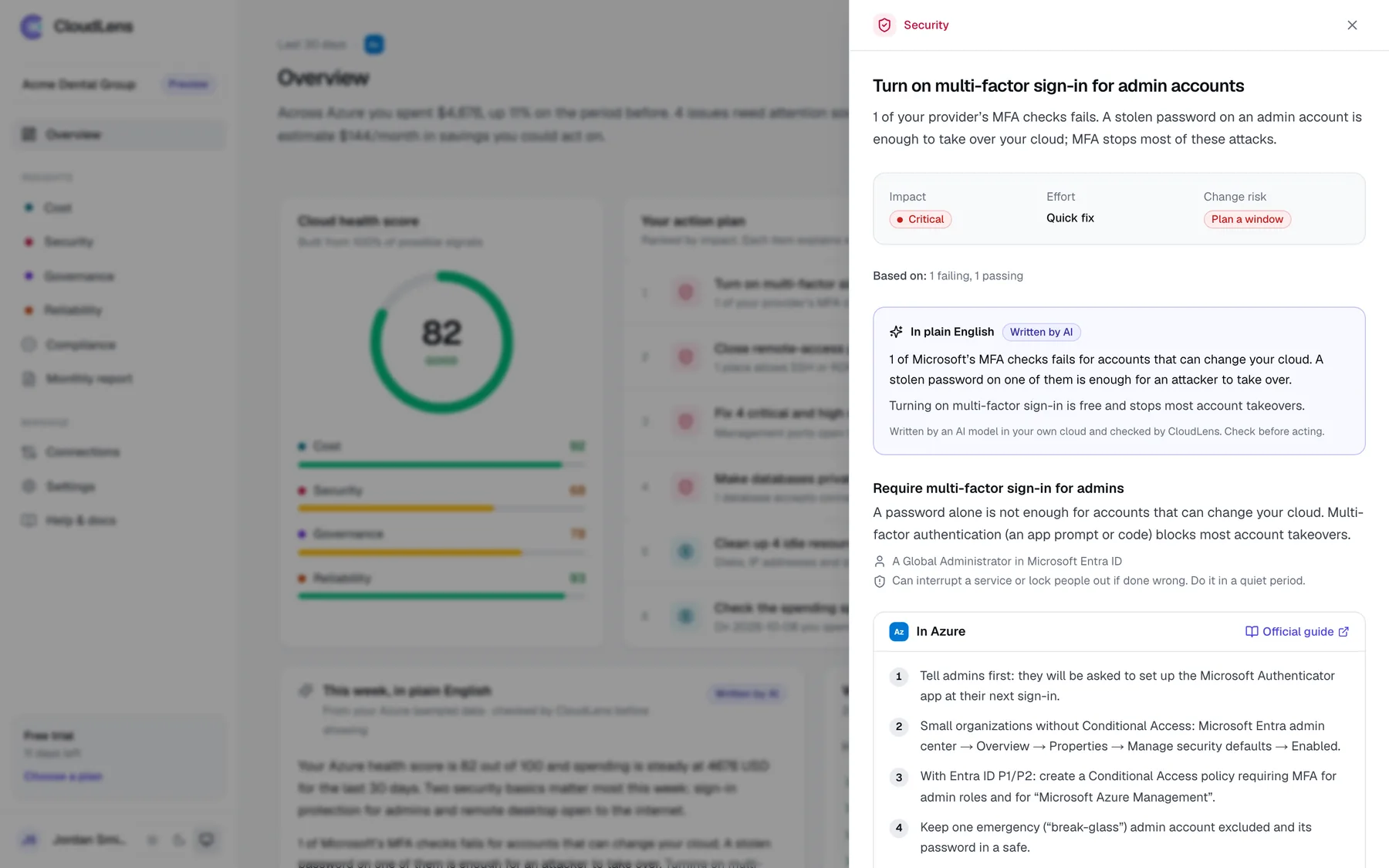
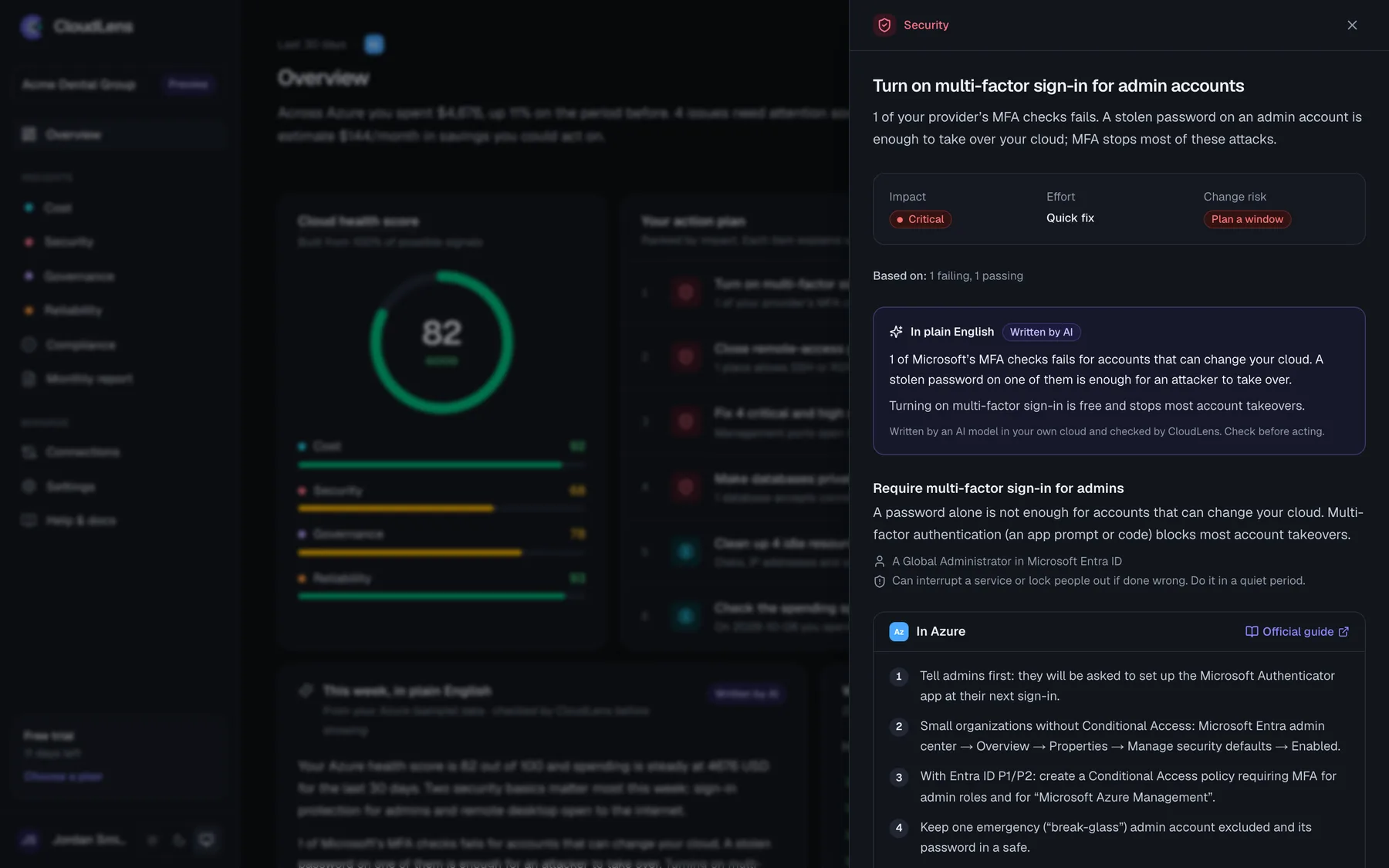
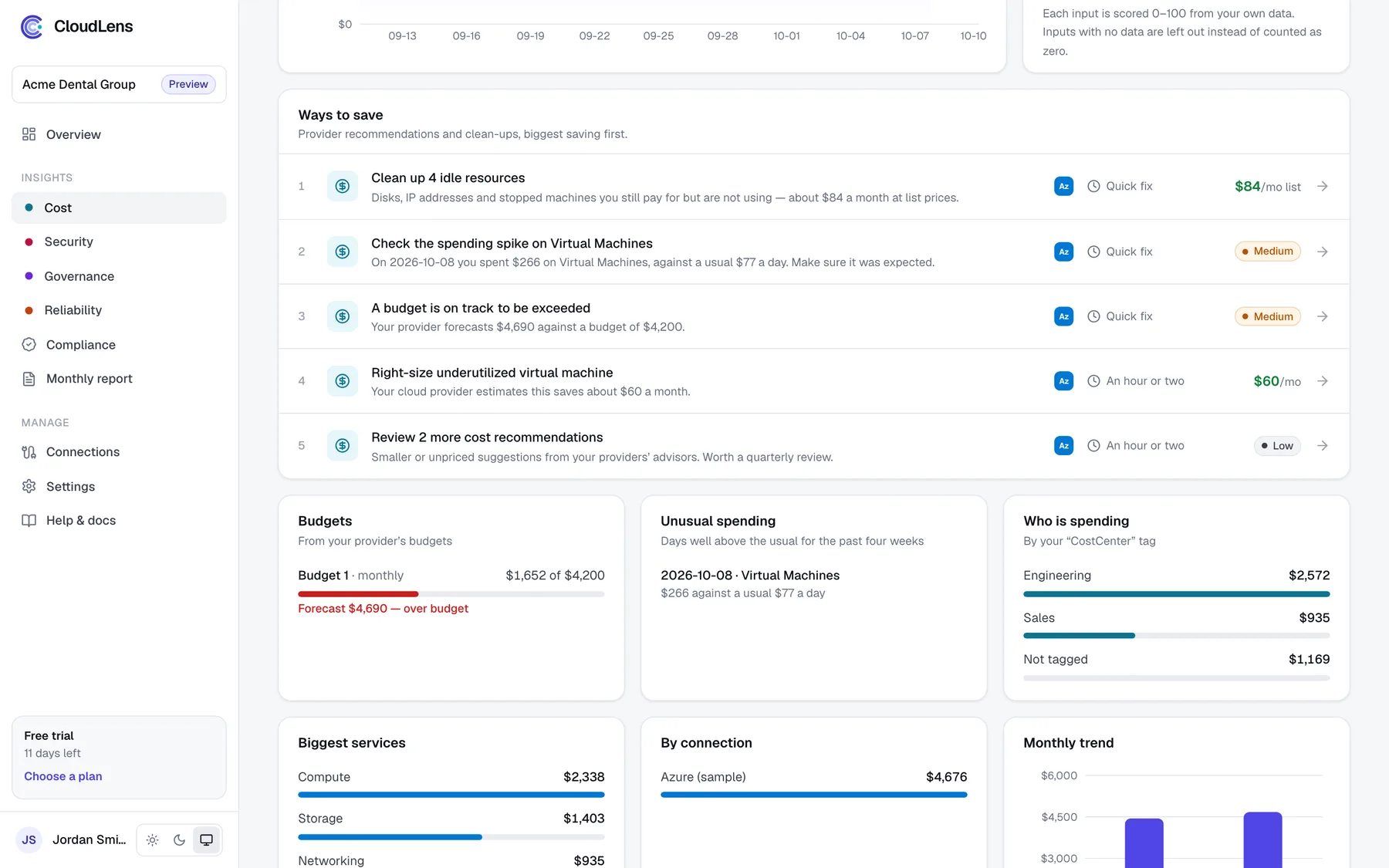
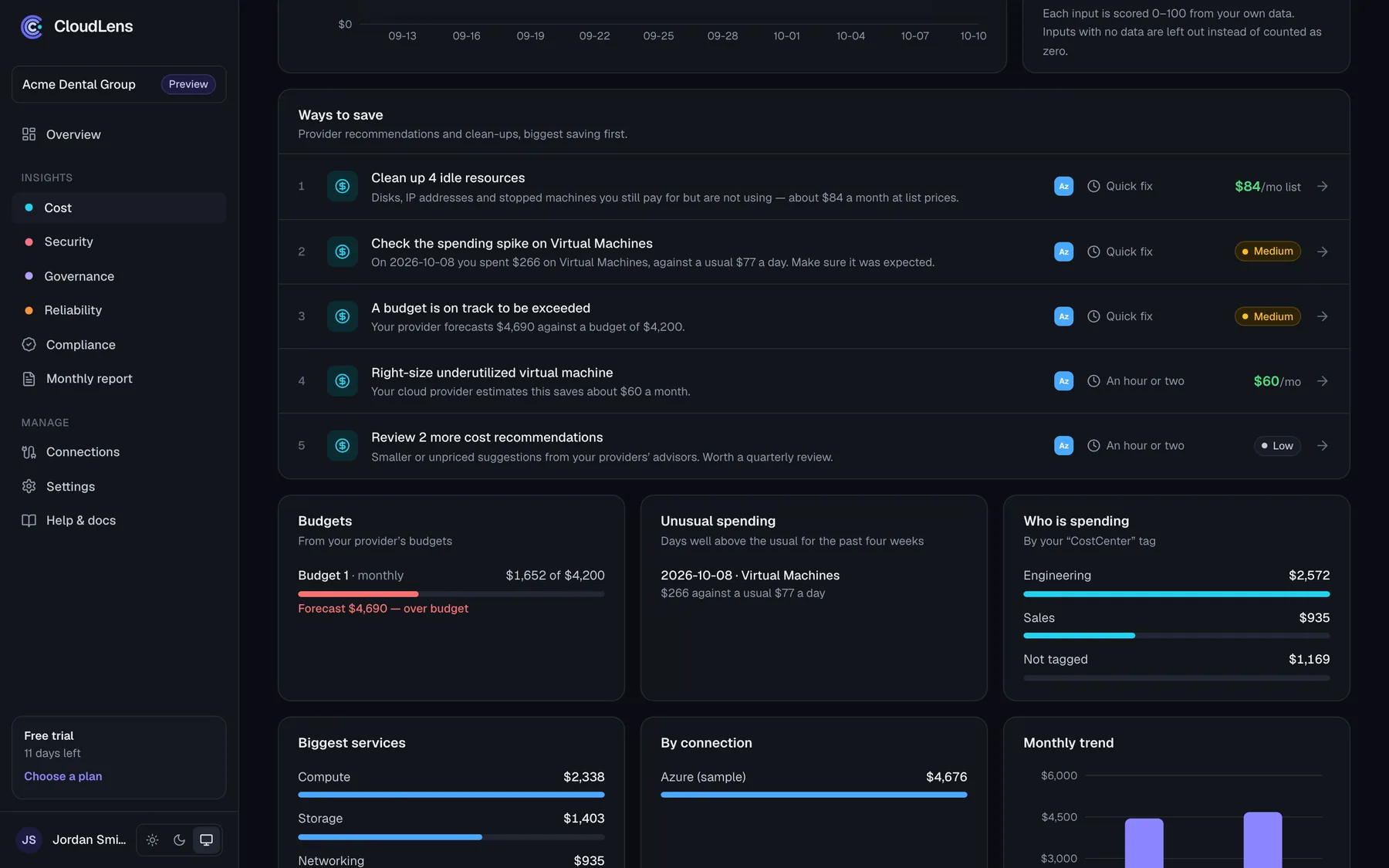
One ranked list across cost, security, backups and governance
The things that matter most right now, ranked by money and risk, each with how long it takes — in plain English.
Why CloudLens
Azure’s own tools, made usable.
Microsoft gives you the data. CloudLens turns it into one list a non-specialist can act on.
| Topic | Azure’s own tools | CloudLens |
|---|---|---|
| Where to look | Cost Management, Advisor, Defender, Policy, Backup and Monitor — each its own screen | One page and one ranked list |
| What to do first | Each tool ranks only its own findings | Cost, security, backups and governance ranked together by money and risk |
| Language | Written for cloud engineers | Plain English, with a guide and a risk label for every fix |
| Staying informed | Someone has to log in and look | Weekly email, alerts and a monthly report |
| Progress | Hard to see what changed | What changed this week, and what you fixed |
Set up
Live in about ten minutes. Your way.
A small read-only agent goes into a resource group in your subscription and registers itself — there are no keys or secrets to copy.
Azure portal
Recommended
Paste a one-time code into a form CloudLens opens for you, choose what CloudLens may see, and create. No command line.
Cloud Shell script
Bash or PowerShell
One command. It shows what it will do and asks before changing anything — and it’s safe to run again.
Terraform
For your pipeline
A ready-made module for teams that manage Azure as code.
$ curl -fsSL https://cloudlens.pro/install/azure.sh | bash -s -- --token cle1.••••••• --aiCoverage
Four areas, one score, one plan.
Each area is scored from the signals Azure reports, and every issue feeds a single prioritized action plan.
Cost
- Spend trend and month-end forecast
- Savings recommendations and idle resources with their monthly cost
- Unusual days, budgets, and cost by team or project
Security
- Remote access, storage and databases open to the internet
- Critical findings from Microsoft Defender for Cloud
- MFA on admin accounts and what Defender is watching
Governance
- Tag coverage against your required tags
- Policy compliance and regulatory standards
- Delete locks and log settings on key services
Reliability
- Azure incidents affecting your resources
- Backup coverage, by machine and by type
- Resource availability and fired alerts
AI Advisor
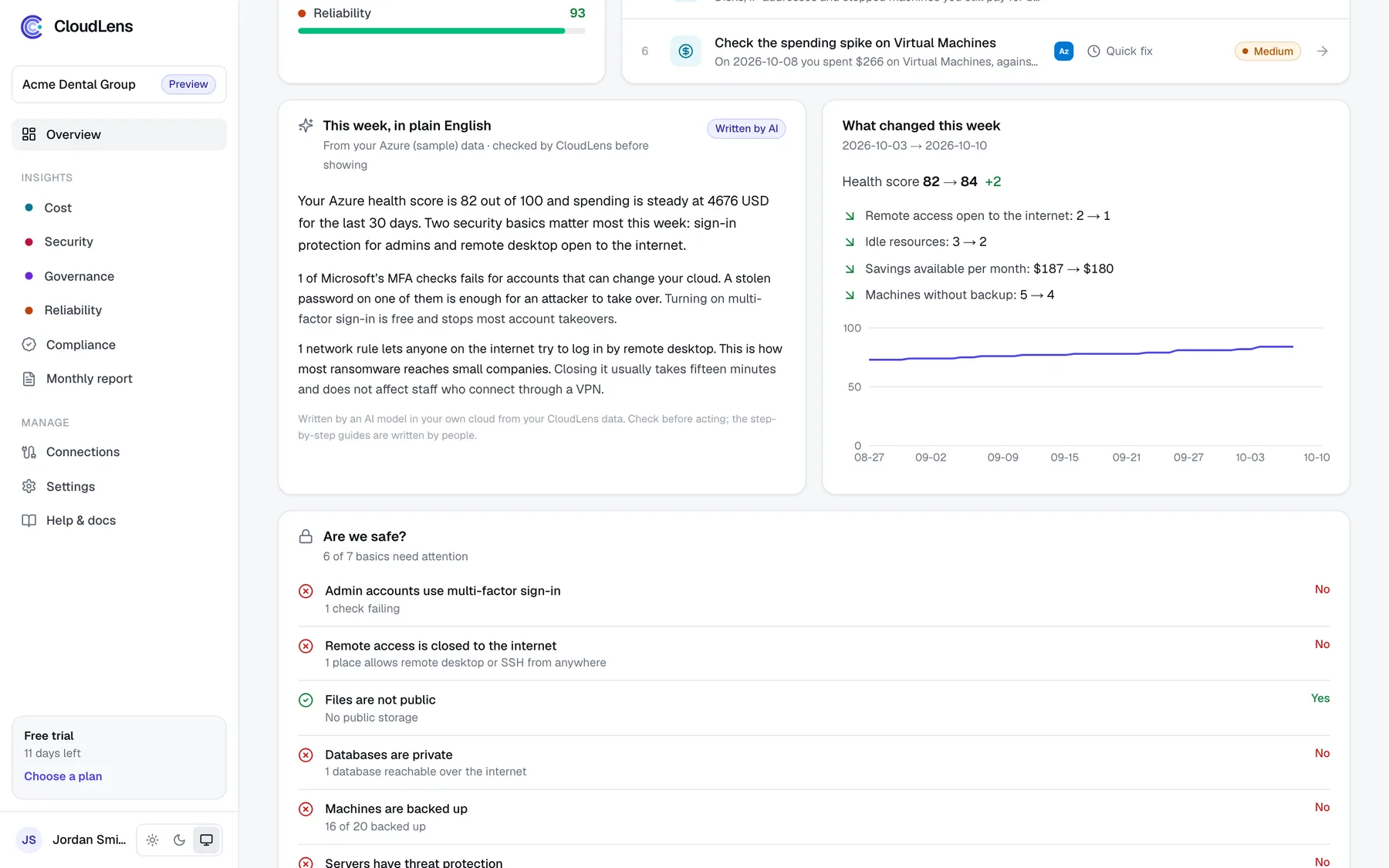
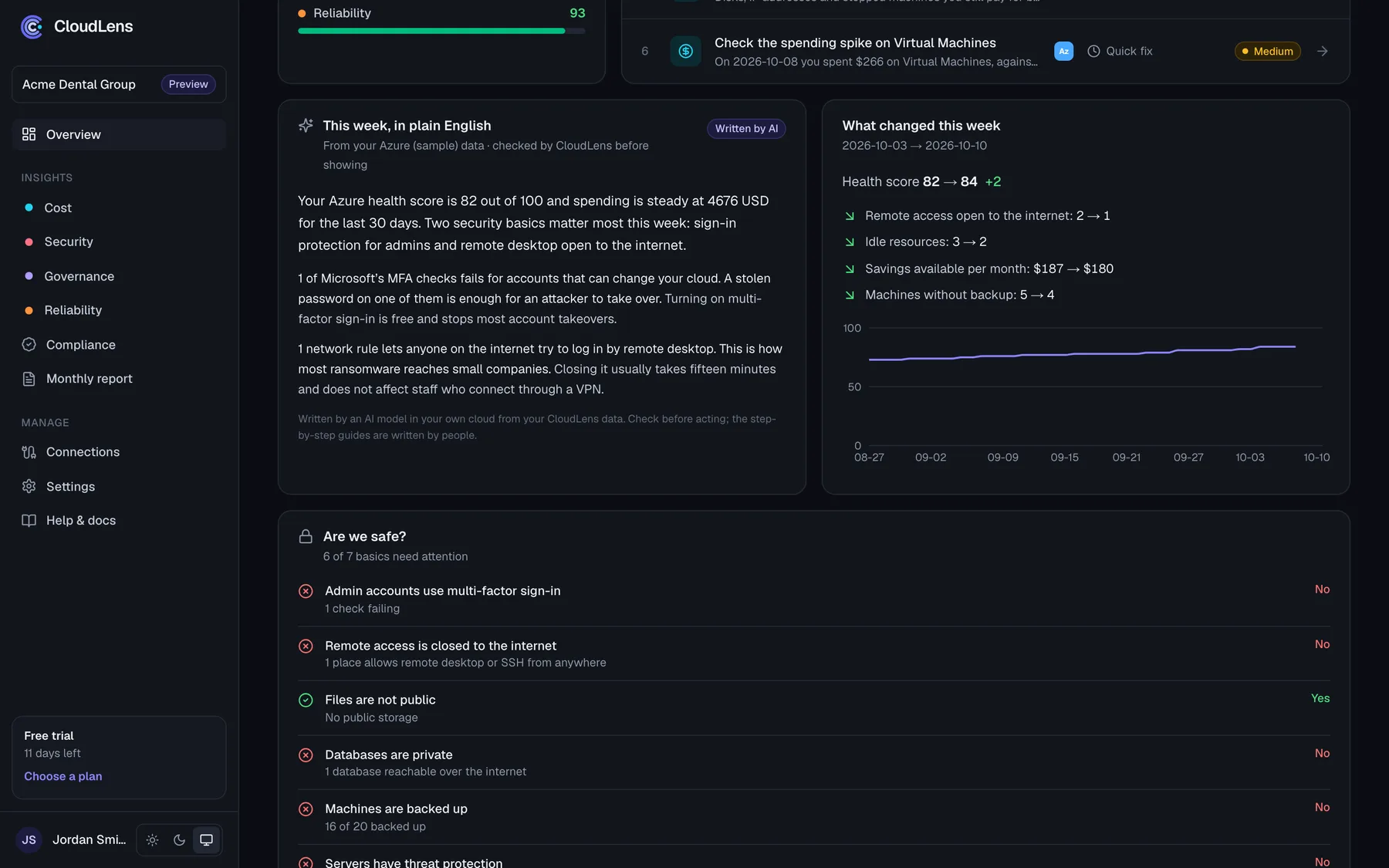
Plain English, written inside your own Azure.
An optional AI layer that explains your report the way a good consultant would. Included in Pro.
Stays in your tenant
An AI model is added to your own subscription. Your data isn’t sent to CloudLens or to an AI vendor.
Checked before you see it
Every number it writes must match your data, and it only talks about actions already in your plan. Anything else is discarded.
Explains, never acts
It can’t change anything. Fix steps stay the ones written by people, and every AI text is labelled.
Who it’s for
For the people who look after Azure, without it being their whole job.
Owners and managers
A score, a monthly number and the three things to do first — in an email, without logging in.
Whoever “got the Azure login”
One list in plain English with step-by-step guides, so you can fix things without being a cloud engineer.
Finance
Spend, forecast, budgets and who is spending what, with savings Azure has already priced.
IT partners
Each client in its own isolated organization, with reports in your brand you can forward every month.
Day to day
Stays useful after setup.
Most tools are opened once and forgotten. CloudLens keeps the right people informed without anyone having to log in.
Your whole tenant, one install
Grant access once on a management group and every subscription below it is covered, including new ones.
Clear permission checks
After setup, every data source shows as working or not — with the reason and how to fix it.
Weekly summary email
Score, spend trend and the top things to fix, for whoever you choose — the owner, finance or your IT partner.
Alerts that matter
An unusual day of spending, a new critical security issue, a budget heading over, or an agent that stops responding.
Reports in your brand
On Pro, emails and reports carry your company’s name, logo and colour — ideal for IT partners.
Progress you can see
Mark actions fixed, snooze them or set them aside, and watch the score move week by week.
Security
Your data stays in your tenant.
Designed so that a security review is short.
- Runs in your tenant
- A small read-only agent in your own subscription. It cannot create, change or delete anything.
- Your storage, your region
- Raw results stay in a storage account in your subscription, in the region you choose, with retention you control.
- Your cloud data is never stored by us
- CloudLens asks your agent for totals and counts to draw your dashboards. The data stays in your tenant.
- No secrets to handle
- A one-time code lets the agent register itself. Its key goes straight into your own Key Vault.
- Every organization isolated
- Each customer is fully separated from every other. You only ever see your own organization.
- AI that stays home
- The optional AI Advisor runs in your own Azure. Your data isn’t sent to CloudLens or to an AI vendor.
Pricing
Flat monthly pricing.
Never a percentage of your cloud bill. Every plan begins with a 14-day trial of the full product.
Starter
One team, up to 2 cloud connections
Pro
Up to 10 connections, AI Advisor, your own branding
Enterprise
Unlimited connections, onboarding help, single sign-on on request
Questions
Frequently asked.
How long does setup take?
About ten minutes for someone who is Owner of the subscription: open the Azure portal form (or run one Cloud Shell command), paste the one-time code, and the agent registers itself.
What gets created in our subscription?
One resource group with a small function app running the agent, a private encrypted storage account, a key vault for its key, logs, and — if you choose the AI Advisor — an AI model. The setup screen lists everything first.
Does CloudLens change anything?
No. The agent has read permissions only. CloudLens shows what to change and how; your team or IT partner makes the change.
Where is our data processed and stored?
Raw results stay in storage inside your subscription, in the region you choose. CloudLens receives totals when a dashboard is opened or a summary is sent, and does not store them. Resource names are withheld unless you enable them.
We already have Azure Advisor and Defender. Why CloudLens?
CloudLens is built on them. It adds one ranked list across cost, security, backups and governance, explanations without jargon, emails and alerts so nobody has to go looking, and a record of what changed and what you fixed.
Do I need to be a cloud expert?
No. Every action says why it matters, how long it takes and how risky the change is, with portal steps written by people. Where a change needs care, it says so.
How does the AI Advisor work?
If you turn it on, an AI model is added to your own Azure subscription. It writes a weekly brief and explains actions from the same totals you see in CloudLens. Every number it writes is checked against your data before it is shown, and it never changes anything. Included in Pro.
What does it cost to run in Azure?
The agent runs at the size you choose: Small is roughly $20–30 a month, Standard (recommended, answers straight away) roughly $40–60, and Premium, a dedicated plan, roughly $250. The AI Advisor’s model usage is billed by Azure in your subscription, usually around a dollar a month.
What about AWS and Google Cloud?
CloudLens is built for Azure first. Agents for AWS and Google Cloud are in preview and combine into the same view.
See your first action plan today.
Explore with sample data immediately, then connect your Azure tenant in about ten minutes.
No card required · Cancel any time